My Town : Fire station Rescue
My Town Games LtdEducational
4.355.00 Reviews
- Version
- 7.03.06
- Installs
- 10.00K
- Age Rating
- Everyone
Screenshots
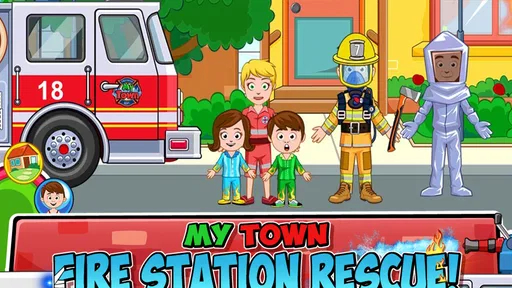
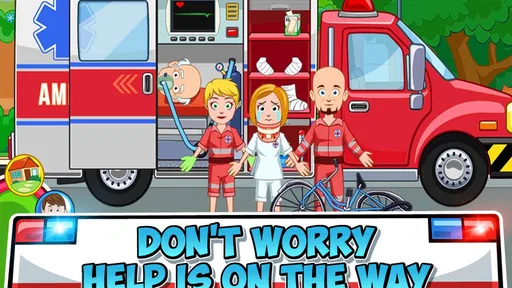
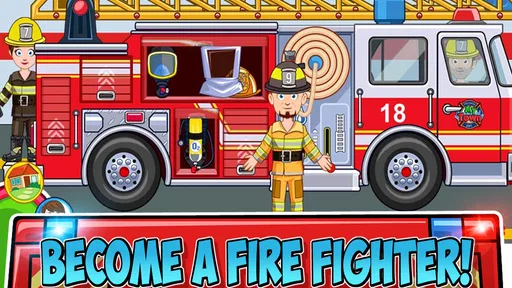
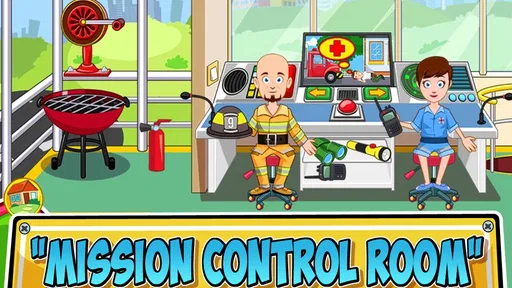
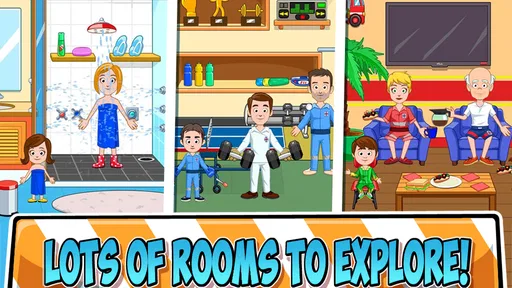
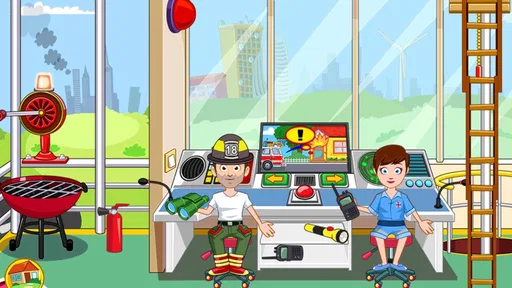
Our Review of My Town : Fire station Rescue
 Analysis by Appyee
I spent time with My Town: Fire Rescue as a child-friendly role-play game, and its biggest appeal became clear almost immediately: it gives children a familiar emergency setting without turning the experience into a stressful action challenge. The idea is simple enough for a young player to understand, yet open-ended enough for siblings, parents, or friends to invent their own rescue stories together. One moment can involve preparing the station, and the next can become a full pretend emergency with everyone taking a different role.
This is an educational game from My Town Games Ltd, although I would describe its learning value as informal rather than lesson-based. It encourages storytelling, sequencing, observation, cooperation, and imaginative problem-solving through play. The store summary presents the central idea as everyone being able to become a hero and save the day, and that spirit fits the experience well. I would recommend it most to families looking for calm, creative play rather than a game built around scores, competition, or difficult objectives.
How it works on a shared device
The most natural way to use this game is on a household tablet or phone where children can take turns creating scenes. A child might decide who is working at the fire station, another might control the person needing help, and an adult can join in by asking what should happen next. That shared-device setup makes the game feel less like a solitary screen activity and more like a small stage for collaborative storytelling.
I found that the rescue theme gives children an easy starting point. They do not need to invent an entire world before playing because the station and emergency idea already suggest roles and actions. One player can act as the firefighter, another can organize the response, and a third can narrate the situation. The game works especially well when the adults avoid taking over and instead ask open questions such as, “What does the team need first?” or “Who is checking that everyone is safe?”
That kind of conversation is where much of the educational benefit appears. The game does not need to deliver formal quizzes to encourage useful thinking. Children naturally practice ordering events, describing what they see, and negotiating with another player. If two siblings want the same character, the shared device becomes an opportunity to agree on turns or assign different jobs. I would not call this a substitute for direct social play, but it can support it when a parent or sibling participates.
For a realistic everyday example, imagine a rainy afternoon when two children are tired of their usual toys. One can begin a rescue story while the other arranges the characters and setting. After a few minutes, a parent can ask them to explain the emergency and decide how the team will respond. When the story reaches a natural stopping point, the children can swap roles. That routine gives the game a clearer purpose than simply handing over a device and hoping it holds attention.
The shared format also reveals one limitation: the screen may feel crowded when several people try to control it at once. Younger children can tap impulsively, move characters unexpectedly, or interrupt a scene that another child is building. I found that the experience is smoother when one person is the “director” for a short turn while the others suggest ideas. This is not a built-in system I would rely on; it is a household habit that makes the game more enjoyable.
What to settle before handing over the device
Because this is a role-play game rather than a guided course, I would establish simple boundaries before a child starts. Decide whether the session is for solo play, cooperative storytelling, or taking turns. If the device belongs to several people, agree on where it can be used and whether the child should ask before changing anything outside the game. Those small rules matter more here than complicated instructions about how to play.
I also recommend checking the device yourself before a younger child uses it. The game is listed for Everyone, which makes it suitable for a broad audience, but age suitability is still personal. A child who enjoys pretend rescue stories may be comfortable with the theme, while another may find emergency situations unsettling. I would introduce it through gentle storytelling and watch the first session rather than assuming the age label answers every family’s question.
The game costs $4.49, so it is worth deciding whether your household wants a paid, focused play experience instead of relying only on free alternatives. I see the price as easier to justify for a family that values open-ended pretend play and expects to return to the same setting repeatedly. If your child quickly loses interest in role-play or prefers puzzles with clear rewards, the purchase may feel less worthwhile.
It is also important to keep expectations realistic about progression. I did not approach this as a game with a campaign to complete or a skill ladder to master. Its value comes from revisiting the setting and creating different situations, not from unlocking a final achievement. That is a strength for children who like to make up stories, but a weakness for anyone who needs visible goals to stay engaged.
On Android, the game requires version 8.0 or later. In practical terms, I would check the intended device before buying, especially if the household keeps an older phone or tablet for children. A shared-device plan only works if the hardware is compatible and comfortable to use. Screen size also affects the experience: a larger tablet is better for two children working together, while a phone is more suitable for one child at a time.
Coordinating roles without turning play into an argument
One of the more useful ways to get value from the game is to assign responsibilities before the story begins. Instead of letting everyone compete for the most exciting character, try giving one child the role of planner, another the role of responder, and another the role of narrator. These jobs can change after each scene. This simple structure makes the rescue theme more cooperative and gives quieter children a clear way to participate.
I would also encourage children to describe their plan aloud before moving characters. That pause turns random tapping into a small exercise in sequencing. For example, they can decide what happened, who noticed it, what the team needs, and how the scene ends. The game itself supplies the imaginative setting, but the quality of the play depends heavily on how much the players explain and listen.
For siblings with different ages, parallel roles work better than identical ones. A younger child can choose characters and act out simple movements, while an older child can narrate or organize the story. This avoids expecting both children to use the game in exactly the same way. It also reduces the chance that the older player will dominate simply because they are faster with the controls.
There is a practical trade-off here. Open-ended play gives families freedom, but it does not provide a strong structure when children disagree. A conventional cooperative puzzle game may be better if you want rules that automatically divide tasks or require shared success. This game is better when an adult is willing to provide light guidance and let the children build the rules of their own story.
I found that short, clearly defined turns are more effective than vague promises to “share.” A child can direct one scene, then hand over the device or choose a different role. The exact length does not need to be strict; the important part is that everyone knows when their chance will come. This is particularly useful on a family tablet where several children may already have different expectations about access.
Age, trust, and the right kind of supervision
The Everyone content rating makes the game approachable for children, and the rescue setting is presented as imaginative play rather than a frightening simulation. Even so, I would not use the rating as a reason to leave every child completely unsupported. Younger players may need help understanding the difference between pretend danger and real emergencies. An adult can keep the tone reassuring while still allowing the child to lead the story.
The game is also a useful prompt for conversations about helping others. After a scene, you can ask what made the characters safe, why cooperation mattered, or how people should behave during a real emergency. I would keep those discussions simple and avoid presenting the game as emergency training. It can encourage thoughtful play, but it should not replace age-appropriate safety education from trusted adults.
For a child who tends to become anxious about fire, alarms, or rescue situations, I would introduce the game carefully or choose a gentler pretend-play theme. The same setting that feels exciting to one child may feel intense to another. Watching how the child reacts is more useful than relying only on the content label. If the child repeatedly focuses on frightening outcomes instead of imaginative problem-solving, another type of game may be a better fit.
Account boundaries are worth considering on a shared device. I would keep the game separate from adult apps and explain which parts of the device the child may use. The game itself is only one part of the household experience; notifications, purchases, saved content, and other apps can create more practical concerns than the play session. Families should use the device settings and routines they already trust rather than assuming the game will manage every boundary for them.
I also would not expect the game to replace a babysitter, a learning program, or a structured classroom activity. It is best understood as a creative toy on a screen. Children can learn through the way they play, but the result depends on their imagination and the people around them. That makes it rewarding in a supportive household, while making it less satisfying for someone searching for independent, curriculum-like instruction.
Where it stands beside other children’s games
Compared with educational games built around spelling, counting, memory, or fixed questions, this one is much less prescriptive. It does not push the child toward one correct answer in the same way. That makes it a better choice for storytelling and social play, but a weaker choice when a parent wants measurable practice in a specific academic skill.
Compared with action games about firefighters, it is also a calmer option. The focus is on imagining roles and situations rather than mastering fast reactions or defeating opponents. Families who want excitement without competition may appreciate that difference. On the other hand, children who expect missions, escalating challenges, or a strong sense of achievement could find the experience too loose.
It also differs from general digital dollhouse games because the fire-rescue setting gives play a recognizable purpose. The emergency theme naturally encourages planning and teamwork, while still leaving room for silly or completely invented stories. That focus is helpful for children who need a prompt to begin, although it may feel narrow compared with a broader world containing many unrelated locations and activities.
The developer, My Town Games Ltd, has positioned this title within the kind of imaginative play associated with the My Town name, and the game benefits from that clear identity. Still, I would choose it specifically for a child who enjoys emergency-service stories, not simply because it is labeled educational. A broader pretend-play title may be the better household purchase if interests change frequently or several children want very different themes.
Practical details and long-term value
The game was released on March 1, 2017, and its current version is 7.03.06. Those details matter mainly because families often keep a game installed for a long time on a shared device. I would check that the version available to you fits the device and that the game feels comfortable on the screen you plan to use. A title can be appealing in principle but less convenient if the household device is old, small, or frequently needed for other tasks.
Its average rating is 4.3 from around 407 ratings, with about 55 written reviews, and it has passed 10K installs. I read those figures as signs of a modest but established audience rather than proof that every child will enjoy it. Ratings cannot tell you whether your child prefers open-ended stories, so I would give more weight to the child’s play style and your household’s willingness to participate.
The paid model changes how I judge replay value. Since there is no need to chase a high score, the question is whether the setting continues to inspire new stories. In my experience, replay value comes from changing the roles, inventing different problems, and involving different players. If you only repeat one rescue scenario, the novelty may fade quickly; if you treat the game as a reusable stage, it can remain useful for occasional shared play.
A good routine is to start with a small scenario instead of asking children to create a huge story. Give them one situation, one team, and one goal. Once they understand how they want to play, let them expand the scene. This reduces aimless tapping and helps a younger child feel successful without needing a complicated tutorial or adult narration throughout the entire session.
I would skip this game if you want competitive multiplayer, detailed progress tracking, serious emergency training, or a structured academic curriculum. I would also look elsewhere if your child dislikes pretend play and needs constant challenges to remain interested. Those are not flaws in the design so much as signs that the game’s central idea does not match the player.
For the right household, though, the simplicity is exactly the point. A child can play alone, but the strongest use is often a short shared session where adults or siblings help turn the rescue setting into a story. The game gives everyone a common theme without demanding that the family follow a rigid script.
My household verdict
After using it, I see this as a focused creative game rather than a conventional educational lesson. Its value comes from role-play, conversation, and coordination around a fire-rescue setting. The Everyone rating, accessible premise, and clear visual theme make it easy to introduce, while the open structure leaves room for children to decide what being a hero means in their own story.
The best reason to choose it is shared imaginative play, not academic progress. I would recommend it to families with a compatible Android device, children who enjoy rescue themes, and adults who are comfortable setting simple turn-taking boundaries. It is especially suitable for a rainy-day activity, a sibling collaboration exercise, or a calm alternative to competitive games.
My final view is positive but specific: buy it when you want a digital stage for cooperative pretend play, and skip it when you need goals, lessons, or action. With a little guidance about roles, turns, and real-world safety conversations, it can become more than a short distraction. Without that support, it may feel like a fairly limited toy once the first rescue story is over.
Verdict
Strengths of My Town : Fire station Rescue
- Bright, child-friendly graphics make the rescue setting easy to explore.
- Open-ended play encourages storytelling without strict goals or time limits.
- Many firefighter-themed rooms and objects provide varied role-play options.
- Simple touch controls are accessible for younger children.
- Characters and items can be mixed with other My Town locations and games.
Limitations of My Town : Fire station Rescue
- Some features and locations may require additional in-app purchases.
- The game offers limited challenge for children seeking structured gameplay.
- Repeated animations and sound effects can become predictable over time.
- Performance may vary on older phones or tablets.
- Parental controls are important because purchases may be available in the app.
Other Releases by My Town Games Ltd
View All
My Town Home: Family Playhouse
Educational4.3

My Town : Beach Picnic
Educational4.0

My Little Princess : Wizard
Educational3.7

My Town : Daycare
Educational4.1
Similar Picks in This Category
View All
Little Panda Policeman
BabyBus4.0

Monster Trucks Game for Kids 2
Raz Games4.1

Little Panda's Chinese Recipes
BabyBus4.4

Little Panda's Restaurant
BabyBus4.4

Little Panda's Ice Cream Games
BabyBus4.3

Baby Panda Care
BabyBus3.8
Frequently Asked Questions
What is My Town: Fire Station Rescue about?
My Town: Fire Station Rescue is a role-playing and storytelling game designed for children. Players can explore a fire station, interact with firefighters, respond to emergencies, and create their own rescue scenarios. Instead of following one fixed storyline, the game encourages open-ended play, allowing children to decide what happens and experiment with different characters, locations, and objects.
Is My Town: Fire Station Rescue suitable for children?
The game is aimed primarily at young children who enjoy imaginative role-play and interactive exploration. Its colorful visuals, simple controls, and non-competitive gameplay make it approachable for beginners. Parents should still review the available settings and store information, particularly because the app may include optional purchases or advertisements depending on the device version and region.
What can players do inside the fire station?
Players can explore different areas of the station and pretend to take part in firefighter activities. They may interact with equipment, prepare for rescue missions, dress characters in themed outfits, and act out emergencies. The experience focuses on discovery rather than difficult objectives, so children can freely create stories involving firefighters, residents, vehicles, and rescue situations.
Does My Town: Fire Station Rescue require an internet connection?
The core gameplay is generally designed for offline play after the application has been installed, which makes it convenient for travel or areas with limited connectivity. However, an internet connection may be needed for downloading the app, restoring purchases, displaying advertisements, or accessing certain external features. Requirements can vary according to the platform and the version available in your region.
Is My Town: Fire Station Rescue free to download?
Availability and pricing may differ between the Google Play Store and Apple App Store. Some versions of My Town: Fire Station Rescue can be downloaded at no initial cost, while optional purchases, advertising, or additional content may be included. Before installing, parents should check the current store listing, supported devices, age rating, privacy details, and any in-app purchase information.
Play our best games!


